iOS App Development in 2026: Myths, Realities & Costs
Everything you need to know about iOS development in 2026 — from Swift and SwiftUI to React Native, Flutter, learning paths, tools, costs, and whether you should start building iOS apps today.
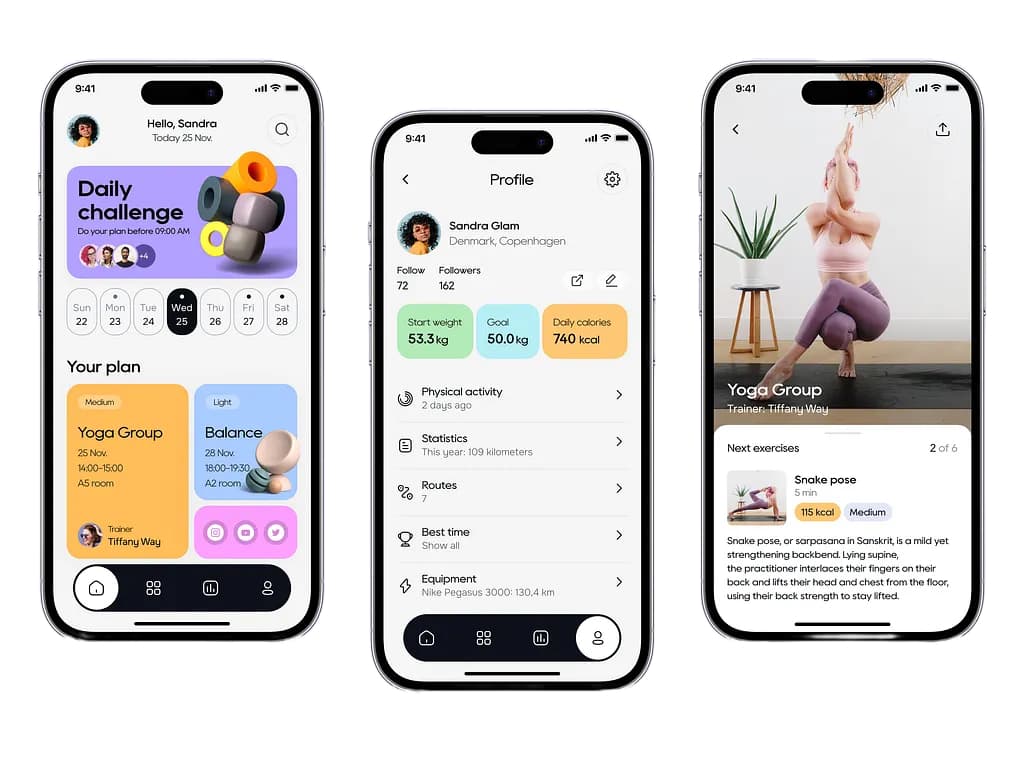
iOS Development in 2026: Myths, Reality, and Your Path to Building Apps
iOS development feels like a high fortress from the outside — expensive hardware, cryptic Xcode wizardry, gatekeeping by Apple. But the truth is messier, more interesting, and far more accessible than you think.
This is everything you need to know about building iOS apps: the myths, the tools, the learning curve, and most importantly — whether you should start today.
What Is iOS Development, Actually?
iOS development is the process of building applications for Apple's iPhone, iPad, iPod Touch, and Apple Watch using Apple's frameworks and tools. It's not about making apps for "iPhones" in the vague sense — it's about writing code that runs on very specific hardware with very specific constraints.
The key difference: iOS apps run inside Apple's sandbox. You can't do whatever you want. Apple controls the rules, the store, the approval process, and the entire distribution channel. This is simultaneously iOS development's greatest strength (security, consistency) and its biggest friction point (approval delays, restrictive guidelines).
Where Do You Actually Make iOS Apps? (The Tools Landscape)
1. Xcode — The Official Fortress (Native Development)
What it is: Apple's integrated development environment (IDE). It's where 90% of "real" iOS apps are built.
Languages:
- Swift — Modern, safe, expressive. Released 2014, now the standard.
- Objective-C — Older, clunky, but still used in legacy codebases. Skip it unless maintaining old code.
Pros:
- Built by Apple for Apple — zero friction with latest iOS features
- Xcode integrates simulators, debuggers, performance tools, and design tools in one window
- Swift is genuinely a pleasure to write in
- Best documentation and community support
Cons:
- Runs only on macOS (you need a Mac — no way around it)
- ~15 GB download, steep learning curve
- Compilation times can be slow for large projects
- Build errors are sometimes cryptic
Cost: Free (with Mac)
Best for: Serious iOS apps, production apps, apps needing latest iOS features.
2. Swift Playgrounds & SwiftUI (Modern Native)
What it is: Apple's modern approach to iOS UI. SwiftUI is a declarative framework that replaces the older UIKit.
How it works:
import SwiftUI

struct ContentView: View {
    var body: some View {
        VStack {
            Text("Hello, iOS!")
                .font(.largeTitle)
            Button("Tap Me") {
                print("Button tapped!")
            }
        }
    }
}
Pros:
- Simple, clean syntax
- Live preview as you code
- Way faster to build UIs than older methods
- Future-proof (Apple's direction)
Cons:
- Requires iOS 13+ (some older devices left out)
- Smaller ecosystem of third-party libraries
- Still maturing (some edge cases and bugs)
Best for: New projects, teams comfortable with rapid iteration.
3. Cross-Platform Frameworks (Write Once, Run Everywhere)
React Native
- Write in: JavaScript/TypeScript
- Deploy to: iOS + Android simultaneously
- Companies using it: Meta (creators), Shopify, Discord, Skype
- Pros: Fast development, shared codebase, large community
- Cons: Performance overhead, not all iOS features accessible, debugging can be painful
- Learning curve: Easier if you know JavaScript; still requires iOS basics
Flutter
- Write in: Dart
- Deploy to: iOS + Android
- Companies using it: Google, BMW, Alibaba
- Pros: Beautiful UI, fast performance, Google-backed
- Cons: Smaller iOS ecosystem than React Native, Dart is less popular
- Learning curve: Moderate; Dart is easy to learn
Capacitor / Ionic
- Write in: Web (HTML/CSS/JavaScript)
- Deploy to: iOS + Android
- Pros: Web developers can become mobile developers, minimal setup
- Cons: Performance not as good as native, relies on WebView
- Learning curve: Easiest if you know web development
Xamarin (C#)
- Write in: C#
- Companies using it: Microsoft, Stack Overflow
- Pros: Strongly typed, .NET ecosystem, good for enterprise
- Cons: Steeper learning curve, smaller community than React Native/Flutter
The Cross-Platform Reality:
- Faster development
- Shared codebase = less maintenance
- BUT: Performance penalties, and you can't access every iOS-specific feature
- Best used for: MVPs, startups, companies building for both iOS + Android simultaneously. For advanced business needs, we offer custom software development.
4. No-Code / Low-Code Platforms (The Shortcut)
Bubble, FlutterFlow, Adalo: Build apps by clicking, dragging, and configuring.
Honest assessment:
- Great for prototypes and non-technical founders
- Severely limited for complex logic
- You own less of your code, more dependent on the platform
- Performance and customization will eventually hit a ceiling
Best for: Validating ideas before investing in real development. If you need something scalable, consider building a custom web application.
The Myths vs. Reality
Myth #1: "You need to be a genius to build iOS apps"
Reality: iOS development is learnable. It's not brain surgery. A competent developer with 3–6 months of focused learning can ship a simple app. Complex apps take longer, but that's true everywhere.
Myth #2: "iOS development is way harder than Android"
Reality: They're different, not harder/easier. Swift is arguably easier to learn than Java/Kotlin. Xcode has some advantages over Android Studio. Trade-offs on both sides. The real constraint is that iOS requires a Mac.
Myth #3: "You need to buy a new Mac to start iOS development"
Reality: You need a Mac, not a new one. A 2017 MacBook Air will work. Don't drop $3000 if you're just learning. Used Macs from eBay are totally fine.
Myth #4: "iOS development is dying because of cross-platform frameworks"
Reality: Cross-platform frameworks are great tools, but they're not replacing native iOS development. The best iOS apps (Apple apps, Spotify, Instagram, Uber) are still written in native Swift. Cross-platform is a trade-off, not a replacement. Both will coexist.
Myth #5: "You need to publish on the App Store immediately"
Reality: You can test on simulators and personal devices indefinitely. TestFlight (Apple's beta platform) lets you test with 10,000 beta users before App Store approval. The store submission is the last step, not the first.
Myth #6: "App Store rejection is guaranteed if you're a beginner"
Reality: Most rejections are avoidable with basic knowledge of App Store guidelines. Guideline violations are usually obvious (spam, fake ratings, explicit content, etc.). A legitimate app from a beginner has a high approval rate.
The Learning Curve: What You're Actually Up Against
Phase 1: Basics (Weeks 1–4)
Learn:
- Swift syntax and fundamentals
- Basic UI with SwiftUI
- How to use Xcode
- How View controllers and navigation work
Building blocks: A simple todo app, a weather app (with API call), a calculator
Effort: Low. Tutorials are abundant. This phase is doable in your spare time.
Phase 2: Intermediate (Months 2–4)
Learn:
- Data persistence (UserDefaults, CoreData, Realm)
- Networking and APIs (URLSession, Alamofire)
- Debugging and performance profiling
- Testing (Unit tests, UI tests)
- Architecture patterns (MVVM, MVC)
Building blocks: App with backend integration, user authentication, local storage
Effort: Moderate. You're starting to think like a real engineer. Resources still plentiful.
Phase 3: Advanced (Months 5–12)
Learn:
- Concurrency and async/await
- Complex animations
- App Store submission and deployment
- Performance optimization
- Third-party libraries and dependency management (CocoaPods, SPM)
- Handling edge cases and real-world complexity
Building blocks: A production-ready app, handling offline mode, memory leaks, background tasks
Effort: High. You're no longer following tutorials. You're solving real problems. Stack Overflow becomes your friend.
Timeline Reality Check
| Goal | Timeline | Effort |
|---|---|---|
| Build a simple app | 2–4 weeks | 2–3 hrs/day |
| Ship your first app to App Store | 2–4 months | 5–10 hrs/week |
| Reach "junior developer" level | 6–12 months | 20+ hrs/week |
| Reach "confident professional" level | 18–24 months | Consistent practice |
The catch: It's not linear. You'll have "aha!" moments where things click, and other times you'll feel stuck. Expect a rollercoaster.
The Software You'll Actually Use
Essential
| Tool | Purpose | Cost |
|---|---|---|
| Xcode | IDE, compiler, debugger, simulator | Free |
| Simulator | Test on virtual iPhone/iPad | Free (with Xcode) |
| TestFlight | Beta testing before App Store | Free (with Xcode) |
| Git / GitHub | Version control | Free (GitHub has paid tiers) |
Highly Recommended
| Tool | Purpose | Cost |
|---|---|---|
| Cocoapods / SPM | Dependency management | Free |
| Figma | UI/UX design collaboration | Free tier available |
| Postman | API testing during development | Free tier available |
| Charles Proxy | Network debugging | $50 one-time |
| Instruments | Performance profiling | Free (with Xcode) |
Optional (But Nice)
- Swiftgen — Code generation for assets and resources
- Fastlane — Automate App Store deployment
- Firebase — Backend as a service (free tier)
The honest truth: Most successful iOS developers use maybe 5–6 tools regularly. Don't get tool-obsessed.
Modern vs. Legacy iOS Development: A Fork in the Road
Legacy Development (Pre-2019)
Tech Stack:
- UIKit + Storyboards (drag-and-drop UI builder)
- Objective-C or early Swift
- Manual constraint management
- Callback-based async code (completion handlers)
How it feels: Verbose, manual, error-prone. Lots of boilerplate. 10 lines of code to do what 2 lines does today.
Still relevant?
- Yes, if maintaining existing apps (many enterprise apps still use UIKit)
- No, if starting from scratch
- Some companies still hire UIKit developers (expect lower pay)
Learning it: Skip it. Seriously. Unless your job requires it, learn modern first.
Modern Development (2019+)
Tech Stack:
- SwiftUI (declarative UI framework)
- Swift (not Objective-C)
- Combine (reactive programming)
- async/await (clean asynchronous code)
- MVVM or similar architecture patterns
How it feels: Clean, intuitive, Pythonic. Less boilerplate. What you'd expect from a 2026 technology.
Example comparison:
UIKit (Legacy):
class ViewController: UIViewController {
    let label = UILabel()

    override func viewDidLoad() {
        super.viewDidLoad()
        label.text = "Hello"
        label.frame = CGRect(x: 20, y: 50, width: 100, height: 50)
        view.addSubview(label)
    }
}
SwiftUI (Modern):
struct ContentView: View {
    var body: some View {
        Text("Hello")
    }
}
Same result, 1/3 the code.
Which Path Is Easier? (The Honest Answer)
Easiest: Cross-Platform (React Native / Flutter)
Why: Shorter time to app, write once for iOS + Android, JavaScript/Dart are approachable, smaller learning curve.
Trade-off: Performance and native feature access.
Best for: Startups, MVPs, teams that value speed.
Moderate: Modern Native (SwiftUI)
Why: Native performance, complete iOS feature access, Swift is a joy to write, documentation is excellent.
Trade-off: macOS requirement, slightly steeper curve than cross-platform.
Best for: Developers who want to go deep, performance-critical apps, professional development.
Hardest: Legacy Native (UIKit)
Why: More boilerplate, older patterns, harder to learn from.
Trade-off: Understanding UIKit makes you a better iOS engineer (you understand the underlying layers).
Best for: Maintaining existing codebases, deeply understanding the platform.
Recommendation Matrix
| If you want to... | Choose... |
|---|---|
| Learn iOS quickly (weeks not months) | React Native or Flutter |
| Ship to both iOS + Android in 2 months | React Native or Flutter |
| Build the best possible iOS app | Modern native (SwiftUI) |
| Understand the platform deeply | Modern native (SwiftUI) → UIKit |
| Maintain an existing app | Depends on the codebase |
| Validate a startup idea fast | Cross-platform or no-code |
The Real Learning Path (How to Actually Start)
Month 1: Foundation
- Watch Paul Hudson's "100 Days of SwiftUI" (free, excellent)
- Build 3 small apps: Weather app, Todo list, Simple game
- Understand View, State, and Binding concepts
- Deploy one app to your own device
Time: 30 mins daily
Month 2: Go Deeper
- Learn how to fetch data from an API
- Add local storage (UserDefaults, then CoreData)
- Implement user authentication (if relevant)
- Build an app with these components integrated
Time: 1 hour daily
Month 3: Polish & Ship
- Write tests for critical functions
- Optimize performance (profile with Instruments)
- Design a proper icon and app preview screenshots
- Submit to TestFlight (beta)
- Iterate based on feedback
- Submit to App Store
Time: 1.5 hours daily, then maintenance
Resources That Actually Work
- SwiftUI by Example (Paul Hudson) — Best free tutorial, hands-on
- Stanford CS193p — Legendary iOS course (updated annually for latest Swift)
- Hacking with Swift — Deep dives on specific topics
- Apple's Official Docs — Surprisingly good once you know the basics
- Combine tutorials — Advanced, but essential for modern iOS
The Business Reality (What You Should Know Before Starting)
Revenue Model
- One-time purchase ($0.99–$99.99) — Rare, hard to monetize
- Subscription (most common) — In-app purchases with recurring billing
- Ads — Terrible user experience, low revenue
- Freemium — Free with premium features
- White-label / B2B — Build for companies
Honest take: Most successful indie apps are subscriptions. One-time purchases rarely generate meaningful revenue anymore.
App Store Commission
Apple takes 30% of all revenue (15% if you participate in their small business program). You keep 70%.
Math example: $9.99/month subscription
- Gross: $9.99
- Apple cut: $3.00
- You keep: $6.99
- 100 subscribers = $699/month revenue
It's not nothing, but it's not life-changing without scale.
The Approval Time
- Median: 24 hours
- Sometimes instant
- Sometimes 2–3 days if Apple has questions
- Build 24–48 hour buffer into your launch plan
Modern Challenges (The Stuff Nobody Talks About)
1. Privacy Regulations
GDPR, CCPA, Apple's App Tracking Transparency (ATT) — you need to understand privacy or hire someone who does.
2. Fragmentation
You need to support iOS 15, 16, 17, 18... Apple supports roughly 5–6 generations. Still way better than Android.
3. App Store Saturation
There are 2+ million apps on the App Store. Getting discovered is hard. Marketing matters more than ever.
4. Rapid Framework Changes
Swift, SwiftUI, Combine — the ecosystem moves fast. What you learn today might be obsolete in 18 months. Keep learning.
Should You Start iOS Development in 2026?
YES, if you:
- Have access to a Mac (borrowed, rental, or owned)
- Are willing to spend 3–6 months learning
- Want to build performant, native applications
- Are interested in Swift as a language
- Can handle debugging and problem-solving
NO, if you:
- Don't have or can't get a Mac
- Need to build for both iOS + Android immediately (choose cross-platform instead)
- Want instant gratification (web development might be better)
- Are absolutely unwilling to learn new concepts
MAYBE, if you:
- Want to learn iOS but also build for Android (use React Native/Flutter)
- Are unsure about commitment (start with 2 weeks of free tutorials first)
- Work in an enterprise (might need to learn UIKit for legacy code)
The Bottom Line
iOS development in 2026 is more accessible than ever. SwiftUI has lowered the barrier to entry. The community is thriving. The ecosystem is mature. macOS is no longer as expensive as it used to be.
The main barrier isn't technical — it's commitment and access to a Mac. If you have both, and you're willing to spend 3–6 months learning, you can ship a production app. Not "eventually," not "maybe." Actually.
The learning curve is real, but manageable. The tools are powerful but intuitive. The payoff — shipping something millions of people can use — is worth it.
Start small. Build a todo app. Then a weather app. Then something you actually want to exist. By month three, you'll be ready to ship.
The question isn't whether you can learn iOS development. It's whether you want to badly enough to start today.
Need Help Building Your App?
Whether you're looking to build a native iOS application or considering cross-platform and custom software solutions, the team at Launch Live Studios has you covered. We specialize in building scalable, performant mobile and web applications tailored to your business needs.
If you have an app idea you want to bring to life, let's talk. Book a call with us today to discuss your next big project!
Last updated: August 2026 Questions? Find me on Twitter, GitHub, or the r/iOSDeveloper subreddit.
Enjoyed this insight
on Mobile Development?
"At Launch Live Studio, we help ambitious brands implement these exact systems to drive scalable revenue."
FREE 30-MINUTE STRATEGY CONSULTATION • CLEAR ANSWERS ON OUR FAQ
Related Growth Guides.

UI/UX Design & Product Strategy
Explaining Complex Tech Simply: How Good Visuals and Stories Win Buyer Trust
A comprehensive guide for tech brands on using visual storytelling and progressive disclosure UI to simplify complex products, bridge the buyer trust gap, and accelerate B2B enterprise sales cycles.

UI/UX Design & Product Strategy
Clear App Navigation: How Simple Menus Prevent SaaS Churn
A practical guide to designing intuitive SaaS navigation menus. Learn how clear visual hierarchy, simple menu architecture, and friction-free user flows reduce cognitive load, increase session duration, and prevent client churn.

Workflow Automation & Systems Integration
Zapier vs Make vs Custom Code: Best Automation Guide
An honest, practical guide comparing Zapier, Make (Integromat), and Custom Code APIs for modern businesses. Discover when to use no-code tools for fast marketing automations, when to use Make for complex multi-step data routing, and when custom serverless microservices save thousands in platform subscription fees.