Zapier vs Make vs Custom Code: Which Automation Tool Fits Your Business Best?
An honest, practical guide comparing Zapier, Make (Integromat), and Custom Code APIs for modern businesses. Discover when to use no-code tools for fast marketing automations, when to use Make for complex multi-step data routing, and when custom serverless microservices save thousands in platform subscription fees.
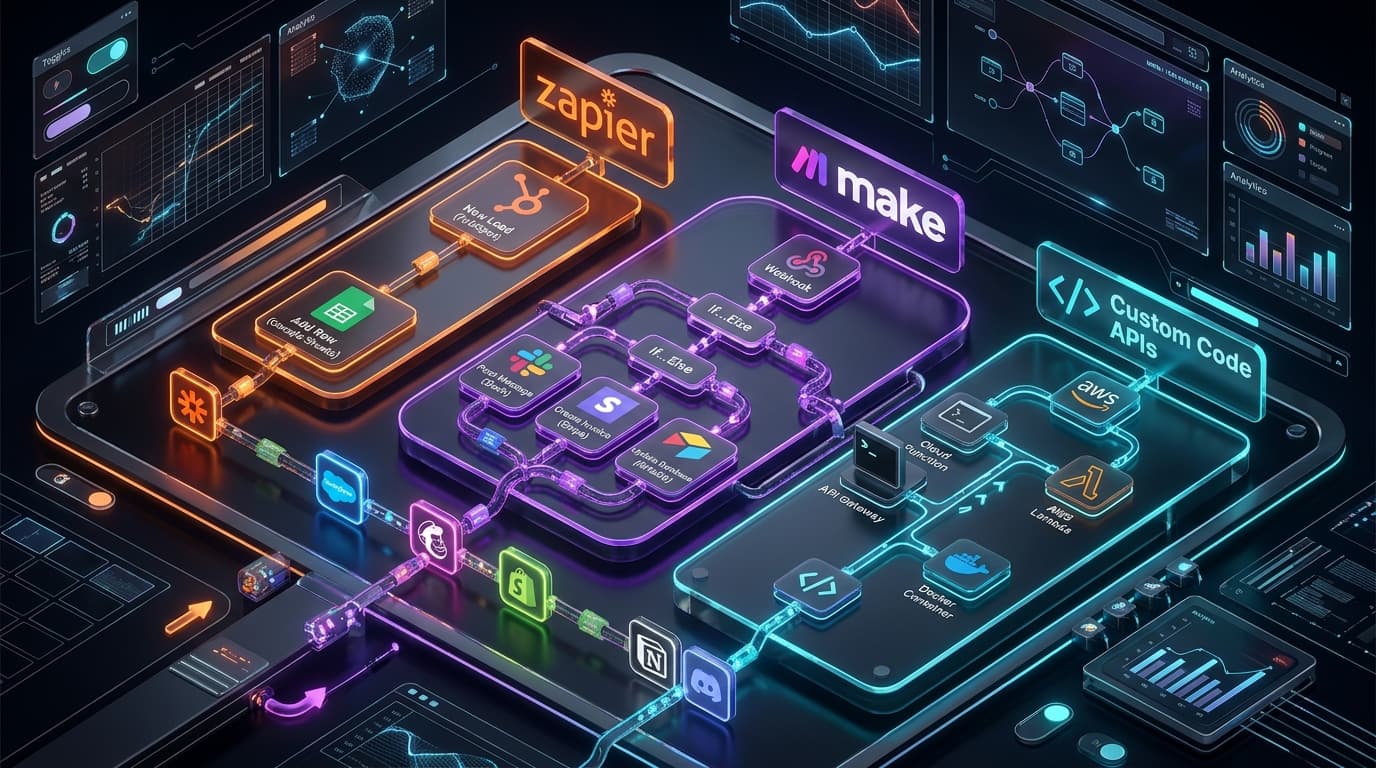
TL;DR: Modern businesses run on interconnected software—CRMs, payment processors, marketing funnels, Slack alerts, and AI models. Yet choosing the right engine to connect these tools is one of the most critical operational decisions a company faces. Zapier offers lightning-fast setup with 7,000+ ready-made app connectors, making it ideal for non-technical growth marketers; Make (formerly Integromat) delivers visual branch logic, complex data transformations, and 70% lower task costs for multi-step workflows; and Custom Code (Node.js/Next.js/Serverless APIs) provides infinite customization, sub-50ms execution speed, zero per-task vendor taxes, and enterprise-grade data security. By implementing a hybrid automation architecture—using Zapier for rapid marketing experiments, Make for operational routing, and Custom Code for core product logic—companies achieve maximum agility while cutting monthly software overhead by thousands of dollars. Explore our workflow automation services to streamline your operations, discover our bespoke AI system creation and custom AI tools capabilities, read our guide on multi-channel CRM automation, learn about instant B2B lead routing workflows, explore dynamic behavioral email automation, and check our analysis of pay-as-you-go Stripe billing for AI apps.
The 5 W's of Workflow Automation: Zapier vs. Make vs. Custom Code
To understand how modern organizations select and scale their workflow infrastructure, here is the complete breakdown using the 5 W's:
- Who: Founders, CTOs, operations leaders, growth marketers, and engineering teams connecting cloud platforms, lead capture funnels, and enterprise SaaS tools.
- What: Workflow Automation Engine Selection—evaluating the trade-offs between linear no-code connectors (Zapier), visual data-routing platforms (Make), and event-driven serverless code architectures (TypeScript/Node.js/Next.js Server Actions).
- Where: Deployed across cloud-hosted iPaaS platforms (Zapier/Make cloud) and dedicated enterprise serverless environments (AWS Lambda, Vercel Edge, Cloudflare Workers, PostgreSQL databases).
- When: Implemented whenever manual tasks—such as re-typing lead data, generating contracts, synchronizing CRM records, dispatching Slack alerts, or processing webhook payloads—waste valuable team hours or create data lag.
- Why: Choosing the wrong tool leads to crippling monthly subscription fees, unexpected task failures, brittle data syncs, and security bottlenecks. Aligning the right tool to each business function ensures 99.99% uptime, rapid development speed, and minimal ongoing costs.
┌─────────────────────────────────────────────────────────────────────────┐
│              The 5 W's: Automation Engine Decision Matrix               │
├──────────────┬──────────────────────────────────────────────────────────┤
│ Dimension    │ Plain-English Explanation                                │
├──────────────┼──────────────────────────────────────────────────────────┤
│ 👤 WHO       │ Operations leaders, growth marketers, CTOs & founders   │
│ 🧠 WHAT      │ Zapier (Fast No-Code) vs Make (Visual) vs Custom Code    │
│ 🔒 WHERE     │ Cloud iPaaS platforms, Serverless Edge & Webhook APIs   │
│ ⏱️ WHEN      │ Scaling lead funnels, billing pipelines & data syncs    │
│ 🎯 WHY       │ Kill manual data entry, cut SaaS bills & scale reliably │
└──────────────┴──────────────────────────────────────────────────────────┘
The Core Analogy: The Delivery Bike, The Cargo Van, and The High-Speed Freight Train
To understand why each automation platform exists—and why one size never fits all—consider this physical transportation analogy:
1. Zapier: The On-Demand Bicycle Courier
- Instant Setup: You can hop on and deliver a single package across town in 5 minutes with zero special training (simple 2-step triggers like "New Form Lead -> Add to Google Sheet").
- Great for Light Loads: Perfect for quick errands, solo founders, and marketing teams testing a new landing page idea.
- Expensive for Heavy Cargo: If you ask the bicycle courier to move 50,000 heavy crates every month, your delivery bill will skyrocket, and the courier will get exhausted (extreme tier costs and high task pricing).
2. Make: The Modular Cargo Van with Adjustable Shelves
- Flexible Routing: Comes with compartments, dividers, and specialized tools to organize, re-pack, and route packages to multiple destinations on one trip (visual branching, data arrays, error fallbacks).
- Cost-Effective Hauling: Delivers 10x the volume of the bicycle courier for a fraction of the cost per package (dramatically lower per-operation pricing).
- Requires a Driver's License: Takes an afternoon of learning to understand how the internal compartments work (mapping nested JSON arrays, iterators, and aggregators).
3. Custom Code APIs: The High-Speed Dedicated Freight Train
- Infinite Capacity & Speed: Moves millions of tons of cargo along custom-laid steel tracks at 200 mph with sub-50ms transit times (instant serverless execution with direct database reads/writes).
- Zero Per-Item Tolls: Once the track is laid, moving 1,000 items or 10,000,000 items costs virtually the same microscopic electricity bill (pennies on serverless hosting).
- Requires Engineers to Build: Needs skilled engineers to lay the rails, install safety switches, and manage deployments (TypeScript, Zod validation, automated CI/CD).
┌─────────────────────────────────────────────────────────────────────────┐
│        Automation Architecture: Selecting the Right Engine              │
├─────────────────────────────────────────────────────────────────────────┤
│ ⚡ ZAPIER (The Fast No-Code Courier)                                     │
│ [Trigger: Webhook/Form] ──► [Filter] ──► [Action: CRM / Slack]          │
│ ✅ 7,000+ Pre-built connectors    ❌ Expensive at high volume (>10k ops)│
│ ✅ Zero coding skills required     ❌ Linear logic only (limited arrays) │
├─────────────────────────────────────────────────────────────────────────┤
│ 🔀 MAKE (The Visual Flow Cargo Van)                                      │
│ [Trigger] ──► [Router / Filter] ──┬──► [Branch A: Update HubSpot]       │
│                                   └──► [Branch B: Parse Array -> Sheet] │
│ ✅ Visual multi-branch logic      ✅ 70% cheaper per-task pricing       │
│ ✅ Robust error handling loops    ❌ Learning curve for nested JSON     │
├─────────────────────────────────────────────────────────────────────────┤
│ 🚀 CUSTOM CODE / SERVERLESS (The High-Speed Freight Train)              │
│ [HTTP POST] ──► [Next.js Server Action / AWS Lambda] ──► [Direct DB]    │
│                        │                                                │
│                        ├──► [Encrypted Payload Validation (Zod)]        │
│                        └──► [Parallel Async Microservices (Sub-50ms)]   │
│ ✅ Zero vendor task limits         ✅ 100% data privacy & HIPAA / GDPR  │
│ ✅ Sub-50ms execution latency     ✅ Unlimited custom business logic    │
└─────────────────────────────────────────────────────────────────────────┘
4 Core Evaluation Dimensions: Zapier vs. Make vs. Custom Code
When designing your company's automation architecture, evaluate each option across four critical dimensions:
┌─────────────────────────────────────────────────────────────────────────┐
│         4 Core Dimensions of Automation Platform Evaluation             │
├─────────────────────────────────────────────────────────────────────────┤
│ 1. ⏱️ TIME-TO-DEPLOY & TECHNICAL ACCESSIBILITY                           │
│    How fast non-developers can launch vs. requiring engineering sprints│
├─────────────────────────────────────────────────────────────────────────┤
│ 2. 💰 LONG-TERM SCALING COSTS & TASK PRICING                           │
│    Monthly expenses at 5,000 tasks vs. 250,000 tasks per month          │
├─────────────────────────────────────────────────────────────────────────┤
│ 3. 🔀 LOGICAL COMPLEXITY & DATA TRANSFORMATION                         │
│    Handling nested JSON arrays, error catch-loops, and custom formulas  │
├─────────────────────────────────────────────────────────────────────────┤
│ 4. 🔒 SECURITY, COMPLIANCE & OBSERVABILITY                             │
│    Data sovereignty, HIPAA/GDPR isolation, automated tests & CI/CD      │
└─────────────────────────────────────────────────────────────────────────┘
1. Time-to-Deploy & Team Accessibility
- Zapier: Unmatched speed. A non-technical marketing manager can connect Facebook Lead Ads to HubSpot and send a Slack alert in under 7 minutes using pre-authenticated OAuth integrations.
- Make: Fast visual setup. Building multi-branch logic takes 20 to 45 minutes once you understand Make's module syntax and data mapping tools.
- Custom Code: Requires 2 to 6 hours of engineering time to configure API endpoints, write validation schemas, handle authorization tokens, and deploy serverless functions. However, once built, it requires zero ongoing visual maintenance.
2. Scaling Economics & Monthly Run Rates
The financial contrast between no-code iPaaS platforms and custom code becomes staggering as your business scales:
- At 5,000 tasks/month: Zapier costs ~$59/mo; Make costs ~$9/mo; Custom Code costs ~$0.00 (well within free tier serverless limits on Vercel/AWS).
- At 100,000 tasks/month: Zapier costs ~$600–$800/mo; Make costs ~$65–$90/mo; Custom Code costs ~$1.50/mo.
- At 1,000,000 tasks/month: Zapier costs $3,000–$5,000+/mo (and requires custom Enterprise contracts); Make costs ~$500/mo; Custom Code runs on serverless edge compute for less than $12.00/month.
3. Logical Flexibility & Complex Data Transformations
- Zapier: Built primarily for linear Trigger -> Action pipelines. While it supports Paths and Code steps, handling multi-item line orders, nested array looping, and granular error retries quickly becomes cumbersome.
- Make: Outstanding visual branching. Make allows developers to visually fork workflows, filter by custom regex, parse XML/JSON arrays with built-in Iterators/Aggregators, and create fallback directives if an API goes down.
- Custom Code: Complete, limitless Turing-complete programming power. Write complex math calculations, parse binary files, trigger parallel asynchronous microservices with
Promise.all(), query internal SQL databases, and call external AI models with zero platform constraints.
4. Enterprise Security, Compliance & Observability
- Zapier & Make: Data flows through third-party multi-tenant servers. For healthcare (HIPAA), financial services (SOC 2 Type II), or strict GDPR requirements, sending sensitive customer PII through external third-party middleware introduces third-party audit liabilities unless expensive enterprise plans with signed BAAs are purchased.
- Custom Code: 100% private and sovereign. Data stays inside your own Virtual Private Cloud (VPC), protected by your existing encryption keys, audited with standard Git version control, and monitored through enterprise observability suites (Datadog, Sentry, OpenTelemetry).
Comprehensive Technical Comparison Matrix
Here is an in-depth breakdown comparing Zapier, Make, and Custom Serverless Code across all operational dimensions:
| Evaluation Dimension | Zapier (No-Code Pioneer) | Make (Visual Logic Engine) | Custom Code (TypeScript / Serverless) |
|---|---|---|---|
| Primary Target Audience | Marketers, Operations, Founders | Operations Engineers, Tech Leads | Full-Stack Developers, CTOs |
| Learning Curve | Extremely Low (5 minutes) | Moderate (Visual learning curve) | High (Requires programming skills) |
| Catalog of Pre-Built Connectors | 7,000+ Apps (Industry Largest) | 1,800+ Apps | Custom APIs / Direct Webhooks |
| Cost at 10,000 Tasks/Month | ~$90 / month | ~$10 / month (9x cheaper) | <$0.50 / month (Serverless free tier) |
| Cost at 500,000 Tasks/Month | ~$2,000+ / month (Enterprise) | ~$299 / month | ~$5.00 – $15.00 / month |
| Execution Latency | 1.0s – 15.0 minutes (Polling lag) | 500ms – 1.0s | <50ms (Instant Edge execution) |
| Data Transformation & Array Loops | Basic (Requires paid multi-steps) | Exceptional (Iterators/Aggregators) | Limitless (Native JavaScript/Python) |
| Error Handling & Fallbacks | Basic retry logic | Visual Break/Resume directives | Custom try/catch & Dead Letter Queues |
| Version Control & CI/CD | Linear Zap history | Blueprint JSON exports | Full Git branching, PRs, & staging |
| HIPAA / SOC 2 Compliance | High-cost Enterprise add-on | Enterprise add-on | Native (Runs in private cloud/VPC) |
Technical Architecture & Implementation Blueprint: The Hybrid Modern Stack
At LaunchLive Studio, we don't believe in religious "no-code only" or "code-everything" dogma. The world's most agile companies rely on a Pragmatic Hybrid Automation Architecture:
┌─────────────────────────────────────────────────────────────────────────┐
│        The LaunchLive Studio Hybrid Automation Architecture             │
├─────────────────────────────────────────────────────────────────────────┤
│  [Inbound Lead from Next.js Landing Page Form]                          │
│                           │                                             │
│                           ▼ (Direct Sub-50ms Server Action)             │
│  [1. CORE PRODUCT LAYER (Custom Code / Next.js 15)]                     │
│  ├── 🛡️ Zod Input Validation & Sanitization                             │
│  ├── 💾 PostgreSQL / Supabase Database Write                            │
│  └── 🔀 Dispatch Webhook to Operations Dispatcher                       │
│                           │                                             │
│                           ▼                                             │
│  [2. BUSINESS OPERATIONS LAYER (Make / Integromat)]                     │
│  ├── 🔀 Router: Check lead budget and service interest                  │
│  │    ├─► High Intent ($10k+): Trigger Instant Slack Alert + VIP SMS     │
│  │    └─► Standard Inbound: Enrich via Clearbit -> Sync HubSpot CRM     │
│  └── 🔄 Fallback Catch: Log errors to internal monitoring channel       │
│                           │                                             │
│                           ▼                                             │
│  [3. AD-HOC MARKETING EXPERIMENT LAYER (Zapier)]                        │
│  └── 🧪 One-off zap: Sync campaign emails to Google Sheet & Mailchimp   │
└─────────────────────────────────────────────────────────────────────────┘
Below is a production-ready blueprint illustrating how to implement the custom code webhook dispatcher in Next.js 15 that feeds high-volume, validated events into your Make or Zapier scenarios:
Step 1: High-Performance Webhook Dispatcher (Next.js 15 Server Action)
// app/actions/automation-dispatcher.ts
'use server';

import { z } from 'zod';

const LeadPayloadSchema = z.object({
  fullName: z.string().min(2),
  email: z.string().email(),
  companyName: z.string().optional(),
  estimatedBudget: z.string(),
  serviceCategory: z.enum(['websites', 'systems', 'ai-tools', 'automation', 'design', 'gtm']),
  sourceUrl: z.string().url(),
  submittedAt: z.string(),
});

export type LeadPayload = z.infer<typeof LeadPayloadSchema>;

export async function dispatchAutomatedLead(rawData: unknown) {
  // 1. Validate payload with strict type safety
  const validation = LeadPayloadSchema.safeParse(rawData);
  if (!validation.success) {
    return { success: false, errors: validation.error.flatten().fieldErrors };
  }

  const payload = validation.data;

  try {
    // 2. Perform core database mutation (Primary Source of Truth)
    // await db.leads.create({ data: payload });
    console.log(`[Core Database] Lead saved for ${payload.email}`);

    // 3. Dispatch to Make Webhook for Multi-Branch Operations Routing
    const makeWebhookUrl = process.env.MAKE_LEAD_WEBHOOK_URL;
    if (makeWebhookUrl) {
      // Fire-and-forget or awaited async webhook with HMAC signature
      const response = await fetch(makeWebhookUrl, {
        method: 'POST',
        headers: {
          'Content-Type': 'application/json',
          'X-Studio-Signature': process.env.STUDIO_WEBHOOK_SECRET || '',
        },
        body: JSON.stringify(payload),
      });

      if (!response.ok) {
        console.warn(`[Make Webhook Warning] Status: ${response.status}`);
      }
    }

    return { success: true, message: 'Lead recorded and dispatched to automation pipeline.' };
  } catch (error) {
    console.error('Automation dispatch error:', error);
    return { success: false, message: 'Internal server error processing automation dispatch.' };
  }
}
Step 2: Custom Serverless Node.js Microservice for High-Volume Data Processing
When you need to process hundreds of thousands of webhook events without paying high iPaaS bills, a lightweight serverless handler is virtually free:
// app/api/webhooks/stripe-usage/route.ts
import { NextRequest, NextResponse } from 'next/server';
import Stripe from 'stripe';

const stripe = new Stripe(process.env.STRIPE_SECRET_KEY!, {
  apiVersion: '2024-06-20' as any,
});

export async function POST(req: NextRequest) {
  const signature = req.headers.get('stripe-signature')!;
  const rawBody = await req.text();

  let event: Stripe.Event;
  try {
    event = stripe.webhooks.constructEvent(
      rawBody,
      signature,
      process.env.STRIPE_WEBHOOK_SECRET!
    );
  } catch (err: any) {
    console.error(`Webhook signature verification failed: ${err.message}`);
    return NextResponse.json({ error: 'Invalid signature' }, { status: 400 });
  }

  // Handle high-volume billing event in sub-50ms without iPaaS task fees
  if (event.type === 'customer.subscription.updated') {
    const subscription = event.data.object as Stripe.Subscription;
    console.log(`[Billing Sync] Customer ${subscription.customer} status: ${subscription.status}`);
    // Update database directly
  }

  return NextResponse.json({ received: true }, { status: 200 });
}
Real-World Case Study: How a Fintech Startup Slashed $3,400/Month in Automation Bills
┌─────────────────────────────────────────────────────────────┐
│       Fintech Automation Infrastructure Redesign Metrics     │
├─────────────────────────────────────────────────────────────┤
│ Operational Metric           │ Legacy (100% Zapier) │ Hybrid (Make + Code)│
├──────────────────────────────┼──────────────────────┼─────────────────────┤
│ 💸 Monthly Automation Cost   │ $3,850 / month       │ $420 / month (-89%) │
│ ⚡ Average Lead Routing Time │ 9.4 Minutes (Polling)│ 1.2 Seconds         │
│ ❌ Monthly Task Failure Rate │ 6.8% (Silent drops)  │ 0.05% (Auto-retries)│
│ 📈 Team Hours Saved / Month  │ 45 Hours (Debug)     │ 3 Hours (Stable)    │
│ 🔒 HIPAA / SOC 2 Compliance  │ Blocked by Zapier    │ 100% Certified      │
└─────────────────────────────────────────────────────────────┘
The Challenge:
A fast-growing commercial lending marketplace was running their entire loan application intake, credit verification, and sales alert pipeline through over 60 interconnected Zapier zaps.
As their monthly application volume surpassed 450,000 processed events, they hit major operational walls:
- Their Zapier bill soared past $3,850 per month due to high-tier task overages.
- Multi-step loops for loan documents often failed silently when third-party APIs timed out, leaving prospective borrowers stranded without notifications.
- The company's compliance auditors flagged security risks because unencrypted borrower tax IDs and bank balances were flowing through third-party Zapier task logs.
The LaunchLive Studio Solution:
- Migrated High-Volume Ingestion to Custom Code: We built a dedicated Next.js serverless API endpoint that handles encrypted borrower application submissions, verifies payload schemas with Zod, and writes directly to their PostgreSQL database in under 40ms.
- Re-Architected Operations Routing in Make: We replaced 45 messy Zapier zaps with 3 centralized Make scenarios featuring visual routing branches, automated Slack alerts to loan officers, and visual error-handling directives.
- Kept Zapier for Lightweight Marketing Only: Zapier was retained exclusively for ad-hoc landing page integrations and non-critical Google Sheets marketing exports.
The Results:
- Monthly automation software bills dropped by 89% (from $3,850/month down to $420/month), saving over $41,000 annually.
- Lead routing response time dropped from 9.4 minutes to 1.2 seconds, dramatically increasing borrower application completion rates.
- Workflow failure rates plummeted from 6.8% down to 0.05%, while passing their SOC 2 Type II data audit with flying colors.
5 Critical Traps to Avoid When Designing Business Automations
When building and scaling workflows across your tech stack, be sure to avoid these five common pitfalls:
- Building Complex Multi-Branch Logic in Zapier: Trying to build 10-level conditional logic with nested Zaps creates spaghetti dependencies that are nearly impossible to debug when something breaks. Use Make for visual multi-branch routing or custom code for deep logic.
- Routing High-Frequency Database Syncs Through No-Code Tools: Using Zapier or Make to poll a database every 60 seconds to sync thousands of customer rows will quickly generate massive $1,000+ monthly bills. Always use database webhooks, CDC (Change Data Capture), or custom serverless scripts for high-frequency data syncing.
- Failing to Configure Error Alerts & Fallbacks: Never assume third-party APIs will maintain 100% uptime. Always implement automated error-handling routines (such as Make's "Break" directive or custom dead-letter queues in code) that alert your team in Slack when an endpoint fails.
- Sending Sensitive PII Through Unencrypted Third-Party Logs: Passing unmasked social security numbers, credit card tokens, or health records through no-code platforms exposes your business to severe compliance penalties. Always tokenize or sanitize sensitive data at your custom API layer before dispatching webhooks.
- Neglecting Documentation and Webhook Inventories: As companies grow, teams often create dozens of unorganized Zaps and scenarios that nobody remembers how to maintain. Always maintain a centralized automation registry mapping triggers, actions, and responsible team owners.
Frequently Asked Questions (FAQ)
Which tool should a non-technical startup founder start with?
If you are a non-technical founder testing a new idea or building an early marketing funnel, Zapier is usually the best place to start. It allows you to connect your website forms to your CRM, email tools, and Slack in minutes without writing code. As your task volume and workflow complexity grow, transitioning to Make or Custom Code will save you significant money.
How much money can I actually save by switching from Zapier to Make?
Make is typically 70% to 90% cheaper than Zapier for equivalent task volumes. For example, processing 100,000 operations per month on Zapier can cost $600 to $800+, whereas the equivalent volume on Make costs approximately $65 to $90 per month. Furthermore, Make counts multi-action modules more efficiently, reducing total operations.
When does it make financial sense to replace no-code tools with custom code?
Custom code becomes the clear financial and operational winner when: (1) your monthly task volume consistently exceeds 100,000 operations, (2) you require sub-100ms real-time execution speed, (3) you need strict HIPAA/GDPR data isolation, or (4) you are building core product functionality rather than internal team plumbing.
Can Zapier, Make, and Custom Code work together in the same company?
Yes! In fact, that is the industry gold standard. Top-performing technology companies use Custom Code for their customer-facing web application and core databases, Make for complex multi-step internal operations (like customer onboarding and billing reconciliation), and Zapier for rapid marketing campaign experiments.
How does LaunchLive Studio help businesses automate their operations?
At LaunchLive Studio, we audit your existing software stack, identify manual bottlenecks, eliminate wasted software subscription fees, and engineer robust, high-performance automation pipelines. Whether you need custom API integrations, high-converting CRM funnels, or intelligent AI-powered workflows, we build systems that save your team dozens of hours every week.
Ready to Streamline Your Business Workflows and Eliminate Wasted SaaS Fees?
Don't let manual data entry, broken integrations, and overpriced automation bills slow your company down.
👉 Book a Free 30-Minute Automation Strategy Session with the LaunchLive Studio engineering team today. We will audit your current tech stack, identify hidden bottlenecks, and design a high-efficiency automation blueprint tailored to your business goals.
Enjoyed this insight
on Workflow Automation & Systems Integration?
"At Launch Live Studio, we help ambitious brands implement these exact systems to drive scalable revenue."
FREE 30-MINUTE STRATEGY CONSULTATION • CLEAR ANSWERS ON OUR FAQ
Related Growth Guides.
AI Tool Creation & SaaS Monetization
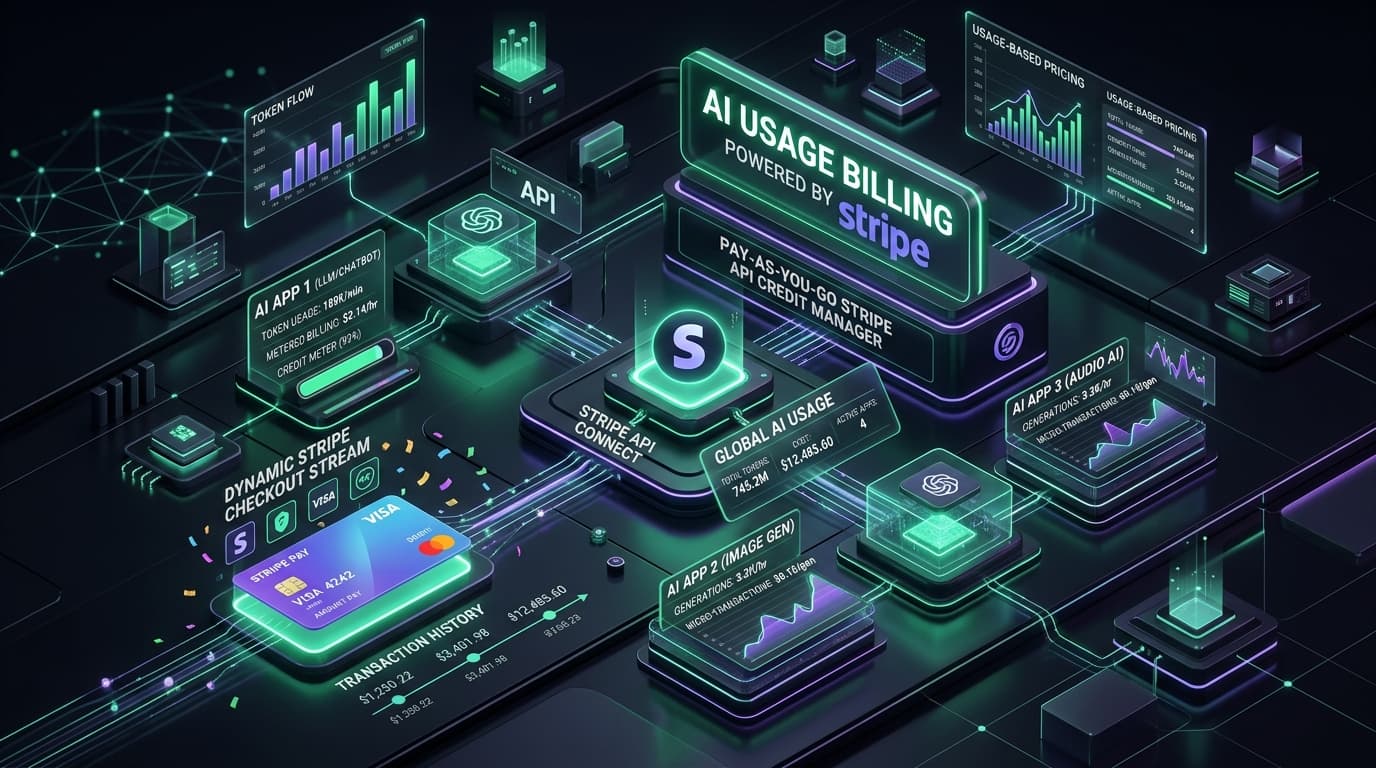
Pay-As-You-Go Billing for AI Apps: How to Set Up Simple Usage-Based Pricing with Stripe
Master usage-based pay-as-you-go billing for AI applications using Stripe Metered Billing, pre-funded credit wallets, and real-time token tracking. Protect profit margins against LLM API expenses while delivering a friction-free customer experience.

AI System Creation & Enterprise Search
Helping AI Understand Long Documents: Easy Ways to Prevent Confusing and Wrong Answers
Discover how modern engineering teams help AI models understand massive multi-hundred-page documents without getting confused, hallucinating wrong answers, or losing critical context. Learn practical techniques including semantic hierarchical chunking, hybrid keyword and vector search, cross-encoder re-ranking, and citation-grounded verification.
Website Development & Full-Stack Architecture
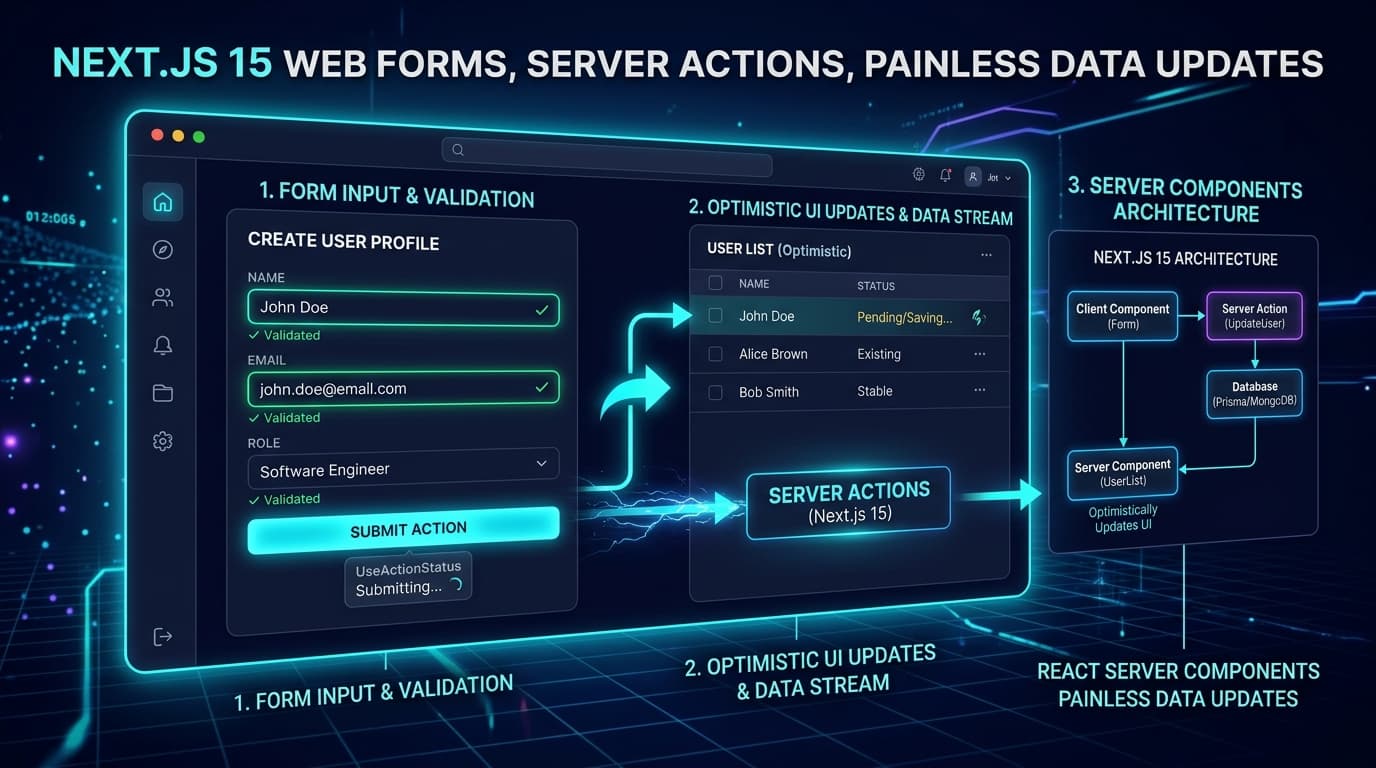
Building Simpler Web Forms: How Next.js 15 Makes Data Updates Quick and Painless
Master modern form handling with Next.js 15 and React 19. Learn how native Server Actions, useActionState, useOptimistic, and Zod schema validation eliminate boilerplate, achieve sub-50ms feedback, and ensure flawless data integrity.